
A crypto wallet is one of the most important tools for anyone who owns Bitcoin, Ethereum, stablecoins, NFTs, DeFi tokens, or altcoins. Buying crypto on an exchange is only the first step. The bigger question is how you store it safely.
Many beginners think crypto is stored “inside” a wallet like cash in a physical wallet. That is not exactly how it works. Crypto exists on the blockchain. A wallet helps you manage the private keys that control your assets, sign transactions, generate addresses, check balances, connect to apps, and move funds.
This is why choosing the right crypto wallet matters.
A good wallet can help protect your Bitcoin and altcoins. A bad wallet choice can expose you to phishing, fake apps, malware, stolen seed phrases, wrong-network transfers, smart contract scams, and permanent loss of funds.
There are many wallet types:
- Mobile wallets
- Browser extension wallets
- Desktop wallets
- Hardware wallets
- Paper wallets
- Multisig wallets
- Exchange wallets
- Smart contract wallets
- Cold storage wallets
- Hot wallets
Each type has a different purpose.
A beginner who buys small amounts of Bitcoin may want a simple mobile wallet. A DeFi user may need MetaMask or Rabby. A long-term investor may need Ledger, Trezor, or another hardware wallet. A business or high-net-worth investor may need multisig custody. An NFT collector may want wallet compatibility with marketplaces. A trader may keep small funds on an exchange but move long-term holdings to self-custody.
In 2026, wallet security is more important than ever. MetaMask says its wallet has more than 100 million users and supports buying, selling, swapping, spending, and exploring across multiple chains. Trust Wallet says its mobile wallet supports 100+ blockchains and has 220M+ users. Ledger says crypto wallets store keys and allow users to sign transactions, generate addresses, initiate transfers, track balances, manage crypto, and interact with dApps.
This guide compares the best crypto wallets for safe Bitcoin and altcoin storage, explains hot vs cold wallets, and helps you choose the right wallet for your risk level.
Important Disclaimer
This article is for educational and informational purposes only. It is not financial, investment, tax, legal, or cybersecurity advice. Cryptocurrency is risky. Wallet mistakes can lead to permanent loss. Always verify wallet details from official sources, use strong security practices, and consult qualified professionals when needed.
What Is a Crypto Wallet?
A crypto wallet is software, hardware, or a custody service that helps you manage crypto keys and blockchain transactions.
A crypto wallet can help you:
- Create receiving addresses
- Send crypto
- Receive crypto
- Sign transactions
- Store private keys or seed phrases
- Connect to decentralized apps
- View balances
- Manage NFTs
- Swap tokens
- Stake assets in some cases
- Track portfolio activity
- Use DeFi platforms
- Interact with smart contracts
Ledger explains that when you create a wallet, two keys are generated: a private key and a public key. The wallet stores your keys and lets you sign transactions, generate new addresses, initiate transfers, track balances, manage crypto, and interact with dApps.
The most important concept is this:
Whoever controls the private key controls the crypto.
If your exchange controls the private key, you depend on the exchange. If you control the private key, you are responsible for security.
Crypto Wallet vs Crypto Exchange
A crypto exchange account and a crypto wallet are not the same thing.
Crypto Exchange Account
A crypto exchange lets you buy, sell, and trade crypto. When you keep crypto on an exchange, the platform may control the private keys.
Examples:
- Coinbase
- Kraken
- Binance
- OKX
- Bybit
- Gemini
- Crypto.com
Exchange storage is convenient for trading, but it creates platform risk.
Self-Custody Crypto Wallet
A self-custody wallet gives you control over your private keys or seed phrase.
Examples:
- MetaMask
- Trust Wallet
- Coinbase Wallet
- Exodus
- Ledger
- Trezor
- Phantom
- Rabby
- Electrum
Self-custody gives more control, but it also gives more responsibility.
If you lose your seed phrase or sign a malicious transaction, there may be no customer support that can recover your funds.
Hot Wallet vs Cold Wallet
The biggest wallet distinction is hot wallet vs cold wallet.
Hot Wallet
A hot wallet is connected to the internet.
Examples:
- Mobile wallet
- Browser extension wallet
- Desktop wallet
- Web wallet
- Exchange wallet
Hot wallets are useful for:
- Daily transactions
- DeFi
- NFT marketplaces
- Swapping tokens
- Small balances
- Beginner activity
- Fast access
Hot wallet risks:
- Phishing
- Malware
- Fake apps
- Browser attacks
- Malicious smart contracts
- Device compromise
- Seed phrase theft
Cold Wallet
A cold wallet stores private keys offline or in a hardware device.
Examples:
- Hardware wallet
- Offline wallet
- Air-gapped signing device
- Paper wallet, though this is risky for beginners
- Multisig cold storage
Cold wallets are useful for:
- Long-term holding
- Large balances
- Bitcoin storage
- Portfolio security
- Reduced online attack exposure
- Self-custody protection
Cold wallet risks:
- Losing seed phrase
- Buying fake hardware
- Damaging device
- Poor backup storage
- User error
- Inheritance problems
For many users, the best setup is simple: use a hot wallet for small daily activity and a cold wallet for long-term storage.
Best Crypto Wallets for Safe Bitcoin and Altcoin Storage
Below are some of the best crypto wallets to compare in 2026.
1. Ledger
Best for: Hardware wallet security and long-term crypto storage
Good for: Bitcoin, Ethereum, altcoins, NFTs, DeFi users, serious investors
Main strength: Hardware wallets with broad crypto support
Ledger is one of the most popular hardware wallet brands. Ledger hardware wallets are used to store private keys offline while users manage assets through Ledger Live and supported wallet integrations.
Ledger says it builds certified secure crypto hardware wallets and provides protection for BTC, ETH, XRP, and more while keeping users in control. Ledger also maintains a supported asset list for coins and tokens.
Key Features
- Hardware wallet storage
- Private keys kept offline
- Ledger Live app
- Bitcoin and altcoin support
- NFT support
- DeFi access through integrations
- Secure transaction signing
- Mobile and desktop compatibility
- Recovery phrase backup
- Multiple device models
- Broad token support
- Portfolio management
Why Ledger Is Good
Ledger is strong for long-term holders who want to reduce hot wallet risk. Since the private key is stored on the hardware wallet, transactions must be physically approved on the device.
This adds an important layer of protection. Even if your computer is infected, the attacker still cannot simply move your funds unless they trick you into signing a malicious transaction or steal your recovery phrase.
Best Fit
Ledger is best for serious crypto investors, long-term holders, and users who want hardware wallet protection with broad coin support.
Possible Downsides
Hardware wallets require careful setup. You must buy from official sources, secure your recovery phrase, and verify every transaction before signing. Counterfeit hardware wallets are a real risk. In 2026, Tom’s Hardware reported on a fake Ledger Nano S+ that was designed to steal seed phrases and PINs, showing why users should purchase hardware wallets only from official sources.
2. Trezor
Best for: Open-source hardware wallet users and Bitcoin-focused storage
Good for: Bitcoin, Ethereum, major altcoins, long-term self-custody
Main strength: Hardware wallet with strong self-custody reputation
Trezor is another major hardware wallet brand. It is known for self-custody, open-source approach, and long-running reputation in crypto security.
Trezor says its Suite app supports thousands of coins and tokens, including Bitcoin, Ethereum, Solana, Cardano, ERC-20 tokens, and more. Trezor also says its hardware wallets support hundreds of coins and tokens natively or through secure third-party wallet connections.
Key Features
- Hardware wallet storage
- Trezor Suite app
- Bitcoin and altcoin support
- Recovery phrase backup
- Secure transaction signing
- Desktop and web app support
- Open-source design philosophy
- Passphrase support
- Portfolio overview
- Third-party wallet compatibility
Why Trezor Is Good
Trezor is a strong option for users who want hardware wallet security and a transparent self-custody approach. It is especially popular among Bitcoin holders and people who value open-source wallet infrastructure.
Like Ledger, Trezor protects private keys by keeping them away from regular internet-connected devices.
Best Fit
Trezor is best for Bitcoin and altcoin holders who want a reputable hardware wallet and strong self-custody control.
Possible Downsides
Not all assets may be supported in the same way. Some coins require third-party wallet integrations. Always check official supported coin pages before buying.
3. MetaMask
Best for: Ethereum, EVM chains, DeFi, NFTs, browser wallet users
Good for: DeFi users, NFT collectors, Web3 app users, altcoin traders
Main strength: Widely used wallet for Ethereum and compatible networks
MetaMask is one of the most widely used crypto wallets for Ethereum and EVM-compatible blockchains. It is available as a browser extension and mobile app.
MetaMask says it helps users set up a crypto wallet, buy and sell BTC, ETH, SOL, and more, and gives users control over data and assets. Its Google Play listing says MetaMask is trusted by over 100 million users and supports buying, selling, swapping, spending, and exploring across chains.
Key Features
- Browser extension
- Mobile app
- Ethereum support
- EVM chain support
- Token swaps
- DeFi access
- NFT support
- dApp connection
- Custom networks
- Hardware wallet integration
- Security alerts
- Portfolio management
- Web3 identity features
Why MetaMask Is Good
MetaMask is one of the best wallets for DeFi and Web3 because many decentralized apps support it. If you use Uniswap, OpenSea, Aave, Curve, decentralized exchanges, NFT platforms, or Layer-2 networks, MetaMask is often one of the first wallet options.
It is flexible, widely supported, and familiar to many crypto users.
Best Fit
MetaMask is best for Ethereum, Layer-2, EVM chain, DeFi, NFT, and Web3 users.
Possible Downsides
MetaMask is a hot wallet unless paired with hardware wallet security. Users must be careful with phishing websites, fake extensions, malicious token approvals, and seed phrase theft.
4. Trust Wallet
Best for: Mobile multi-chain wallet users
Good for: Beginners, altcoin holders, mobile-first users, staking, DeFi
Main strength: Broad blockchain support on mobile
Trust Wallet is a popular mobile crypto wallet. It supports many blockchains and is widely used by mobile-first crypto users.
Trust Wallet’s 2026 mobile wallet guide says Trust Wallet supports 100+ blockchains, has 220M+ users, and offers $0 staking fees.
Key Features
- Mobile wallet
- 100+ blockchain support
- Token swaps
- Staking options
- NFT support
- Browser/dApp access
- Multi-chain portfolio
- Private key self-custody
- Mobile-first interface
- QR payments
- Broad altcoin support
Why Trust Wallet Is Good
Trust Wallet is useful for users who want a mobile wallet with broad token and chain support. It can be easier for beginners than a browser wallet because everything is inside a phone app.
It is also useful for altcoin users because it supports many chains beyond Ethereum.
Best Fit
Trust Wallet is best for mobile-first users, beginners, and altcoin holders who want one wallet for many blockchains.
Possible Downsides
Mobile wallets are still hot wallets. If your phone is compromised or your recovery phrase is stolen, funds can be lost. Users should not store large long-term holdings only in a mobile wallet without understanding the risks.
5. Coinbase Wallet
Best for: Coinbase users who want self-custody
Good for: Beginners, Coinbase exchange users, DeFi explorers, NFT users
Main strength: Easy transition from exchange to self-custody
Coinbase Wallet is a self-custody wallet separate from the Coinbase exchange. It helps users manage crypto, NFTs, and decentralized apps while keeping control of private keys.
Key Features
- Self-custody wallet
- Mobile app and browser extension
- NFT support
- DeFi access
- dApp browser
- Multi-chain support
- Coinbase exchange connection
- Token swaps
- Recovery phrase backup
- Beginner-friendly design
Why Coinbase Wallet Is Good
Coinbase Wallet can be a comfortable next step for users who started on Coinbase Exchange and want to try self-custody. It keeps a familiar brand experience while giving users more control than leaving all funds on an exchange.
It can also help beginners explore DeFi and NFTs with a simpler design than some advanced wallets.
Best Fit
Coinbase Wallet is best for Coinbase users and beginners who want a self-custody wallet with a familiar interface.
Possible Downsides
Self-custody means you are responsible for the recovery phrase. Coinbase cannot simply restore a self-custody wallet if you lose the phrase.
6. Exodus
Best for: Desktop and mobile portfolio experience
Good for: Beginners, multi-asset holders, visual portfolio tracking
Main strength: Beautiful interface and multi-asset management
Exodus is a popular software wallet known for its user-friendly desktop and mobile apps. It supports many assets and provides a visually clean portfolio experience.
Key Features
- Desktop wallet
- Mobile wallet
- Multi-asset support
- Built-in swaps
- Portfolio tracking
- Trezor integration
- NFT support in some contexts
- User-friendly design
- Staking options for some assets
- Recovery phrase backup
Why Exodus Is Good
Exodus is attractive for beginners and intermediate users who want a wallet that feels polished and easy to understand. It is also useful for tracking a diversified portfolio.
Its Trezor integration can help users combine a friendly interface with hardware wallet security.
Best Fit
Exodus is best for users who want a simple desktop/mobile wallet with strong design and multi-asset portfolio tracking.
Possible Downsides
Exodus is a hot wallet unless used with a hardware wallet. Built-in swaps may include spreads or fees, so compare costs before trading inside the wallet.
7. Phantom
Best for: Solana ecosystem and multi-chain mobile/browser users
Good for: Solana users, NFT collectors, DeFi users, mobile Web3 users
Main strength: Strong Solana wallet experience
Phantom became popular as a Solana wallet and has expanded support over time. It is widely used for Solana NFTs, DeFi, and apps.
Key Features
- Browser extension
- Mobile app
- Solana support
- Ethereum and other chain support in expanded versions
- NFT support
- Token swaps
- dApp connections
- Staking support
- Portfolio view
- Hardware wallet support in some contexts
Why Phantom Is Good
Phantom is one of the easiest wallets for Solana users. If your main activity is Solana tokens, Solana NFTs, or Solana DeFi, Phantom is often more convenient than general EVM wallets.
Best Fit
Phantom is best for Solana users, NFT collectors, and people active in the Solana ecosystem.
Possible Downsides
Users who mainly use Bitcoin or many non-Solana chains may prefer a broader wallet. Always verify current chain support from the official Phantom website.
8. Rabby Wallet
Best for: Advanced EVM and DeFi users
Good for: Ethereum users, DeFi traders, Layer-2 users, active Web3 users
Main strength: Transaction simulation and DeFi-friendly workflow
Rabby Wallet is popular among advanced DeFi users because of its focus on clearer transaction previews, multi-chain EVM support, and safer signing experiences.
Key Features
- Browser extension
- EVM chain support
- DeFi transaction previews
- Chain auto-switching
- Portfolio view
- Hardware wallet support
- dApp compatibility
- Risk alerts
- Token approvals view
- Multi-account management
Why Rabby Is Good
DeFi transactions can be difficult to understand. Rabby is useful because it tries to make transaction signing clearer for users. That can help reduce mistakes when interacting with complex smart contracts.
Best Fit
Rabby is best for advanced Ethereum and EVM DeFi users who want more transaction detail before signing.
Possible Downsides
It may be less beginner-friendly than simple mobile wallets. Users still need strong security habits.
9. Electrum
Best for: Bitcoin-only users and advanced Bitcoin control
Good for: Bitcoin holders, privacy-aware users, technical users
Main strength: Lightweight Bitcoin wallet with advanced features
Electrum is one of the oldest Bitcoin wallets. It is designed for Bitcoin, not broad multi-chain altcoin storage.
Key Features
- Bitcoin-only wallet
- Desktop and mobile versions
- Hardware wallet support
- Custom fee control
- Multisig support
- Lightweight design
- Advanced settings
- Seed phrase backup
- Long history in Bitcoin ecosystem
Why Electrum Is Good
Electrum is strong for users who want Bitcoin-specific functionality instead of a multi-chain wallet. Bitcoin-only users may prefer a wallet focused entirely on BTC security and control.
Best Fit
Electrum is best for Bitcoin-only users who want advanced control and do not need altcoin support.
Possible Downsides
Electrum may feel technical for beginners. Users must download from the official source and avoid fake wallet downloads.
10. Safe
Best for: Multisig wallet security and team/business custody
Good for: DAOs, businesses, teams, high-value self-custody, shared wallets
Main strength: Multi-signature approval system
Safe, previously known as Gnosis Safe, is a smart contract wallet often used for multisig custody. Multisig means a transaction may require approval from multiple keys instead of only one wallet.
Key Features
- Multisig wallet
- Shared custody
- Smart contract wallet
- Team approvals
- DeFi integrations
- Treasury management
- Hardware wallet compatibility
- Spending controls
- Multi-owner setup
- Advanced security workflow
Why Safe Is Good
Safe is useful when one person should not control all funds alone. Businesses, DAOs, teams, and serious investors may use multisig to reduce single-key risk.
For example, a transaction could require 2 out of 3 signatures or 3 out of 5 signatures. This can protect against one lost or compromised key.
Best Fit
Safe is best for teams, DAOs, businesses, and advanced users managing larger funds.
Possible Downsides
Multisig is more complex than a normal wallet. Setup mistakes, signer loss, or chain-specific smart contract risks can create problems. Beginners should not use multisig without learning carefully.
Quick Comparison Table
| Wallet | Best For | Wallet Type | Main Strength |
|---|---|---|---|
| Ledger | Long-term storage | Hardware wallet | Broad cold storage support |
| Trezor | Self-custody hardware | Hardware wallet | Open-source reputation |
| MetaMask | DeFi and EVM chains | Hot wallet | Web3 compatibility |
| Trust Wallet | Mobile multi-chain | Hot wallet | 100+ blockchain support |
| Coinbase Wallet | Coinbase users | Hot wallet | Beginner self-custody |
| Exodus | Portfolio tracking | Hot wallet | Easy desktop/mobile UI |
| Phantom | Solana ecosystem | Hot wallet | Solana NFTs and DeFi |
| Rabby | Advanced DeFi | Hot wallet | Transaction previews |
| Electrum | Bitcoin-only users | Hot wallet/cold capable | Advanced Bitcoin control |
| Safe | Teams and businesses | Smart contract wallet | Multisig security |
Best Crypto Wallet by User Type
Best Wallet for Beginners
Trust Wallet, Coinbase Wallet, Exodus
Beginners usually need a simple interface, easy backups, and basic sending/receiving.
Best Wallet for Bitcoin Holders
Ledger, Trezor, Electrum
Bitcoin holders should prioritize strong backup and long-term storage security.
Best Wallet for DeFi Users
MetaMask, Rabby, Ledger-paired MetaMask
DeFi users need dApp compatibility and transaction signing control.
Best Wallet for Altcoins
Trust Wallet, Ledger, Exodus, MetaMask
Altcoin users should check chain support before choosing.
Best Wallet for Solana
Phantom
Phantom is one of the strongest wallet options for Solana users.
Best Wallet for Long-Term Storage
Ledger, Trezor
Hardware wallets are usually better for long-term storage than hot wallets.
Best Wallet for Businesses
Safe
Businesses and teams may need multisig rather than a single private key.
Seed Phrase Safety
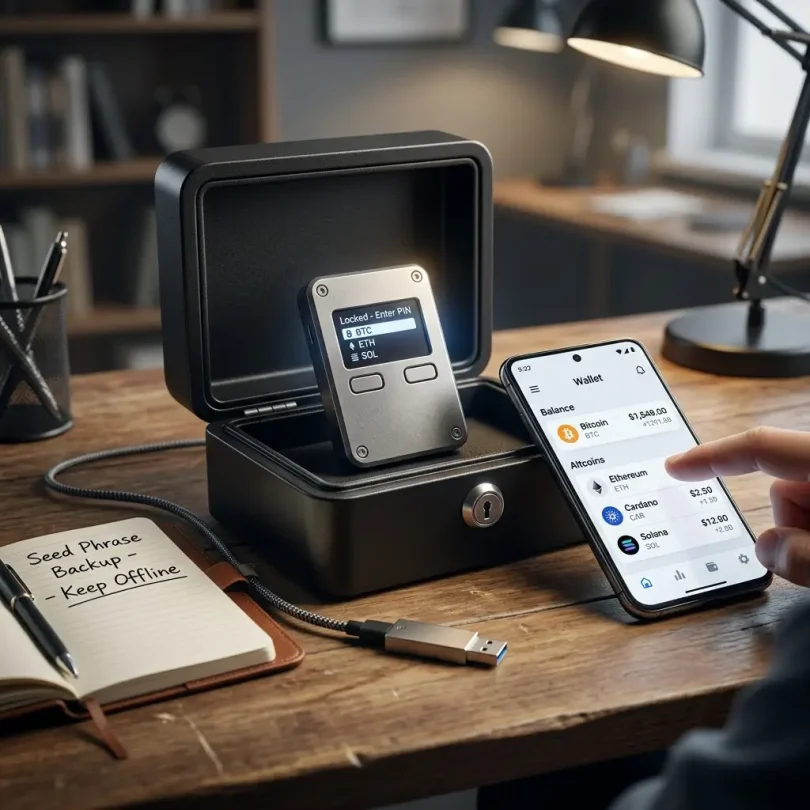
Your seed phrase, also called recovery phrase, is the master backup for your wallet.
If someone gets your seed phrase, they can steal your crypto.
Follow these rules:
- Write your seed phrase offline
- Do not store it in email
- Do not save it in Google Drive
- Do not screenshot it
- Do not type it into random websites
- Do not share it with support agents
- Do not enter it into apps unless restoring a trusted wallet
- Store backups in secure locations
- Consider metal seed backups for fire/water protection
- Keep recovery instructions private
- Never buy wallets with pre-written seed phrases
A real wallet company will never ask for your seed phrase in chat, email, or support.
Hardware Wallet Safety Tips
Hardware wallets are safer only if used correctly.
Buy From Official Sources
Do not buy from unknown marketplaces or suspicious sellers. Fake hardware wallets can steal your seed phrase. The 2026 fake Ledger case reported by Tom’s Hardware showed how counterfeit devices can be designed to trick users into giving away seed phrases and PINs.
Initialize the Wallet Yourself
The device should generate the seed phrase during setup. If the wallet arrives with a pre-written seed phrase, do not use it.
Verify Addresses on Device Screen
Malware can change addresses on your computer. Confirm the receiving address on the hardware wallet screen.
Keep Firmware Updated
Use official apps only.
Never Share Recovery Phrase
Not with friends, support, wallet apps, or websites.
Use a Passphrase Carefully
A passphrase can add security, but forgetting it can permanently lock funds.
Common Crypto Wallet Scams
Fake Wallet Apps
Scammers upload fake wallet apps to steal seed phrases.
Phishing Websites
Fake websites copy real wallet brands and ask users to connect or enter seed phrases.
Fake Support Agents
Scammers pretend to be wallet support and ask for recovery phrases.
Malicious Token Approvals
Some smart contracts ask for unlimited token permissions.
Address Poisoning
Attackers send tiny transactions from lookalike addresses to trick users into copying the wrong address.
Fake Airdrops
Scam airdrops ask users to connect wallets and sign malicious transactions.
Malicious Browser Extensions
Fake or infected extensions can steal data.
Clipboard Malware
Malware can replace copied wallet addresses.
Good wallet security requires both the right tool and careful behavior.
How to Choose the Best Crypto Wallet
Use this checklist:
- What crypto do you hold?
- Do you need Bitcoin-only or multi-chain support?
- Are you storing long-term or trading daily?
- Do you use DeFi?
- Do you use NFTs?
- Do you need mobile or desktop?
- Do you need hardware wallet security?
- Do you need staking features?
- Do you need a beginner-friendly interface?
- Do you need multisig?
- Does the wallet support your country?
- Is the wallet open-source or audited?
- Does it have strong user reviews?
- Can you export or recover with standard backups?
- Are you comfortable managing a seed phrase?
The best wallet is the one that matches your actual use case and your security skill level.
Wallet Setup Checklist for Beginners
Before moving large funds, do this:
- Download wallet from official website or app store
- Create a new wallet
- Write seed phrase offline
- Confirm seed phrase backup
- Enable app lock or biometric lock
- Turn on security alerts if available
- Send a small test transaction
- Confirm receiving address carefully
- Practice restoring wallet with small funds only if needed
- Learn how network fees work
- Keep recovery phrase secure
- Avoid connecting to unknown dApps
Never move your full crypto balance into a new wallet until you understand how it works.
Best Practice: Use More Than One Wallet
Many experienced users separate wallets by purpose.
Daily Wallet
Small balance for regular activity.
DeFi Wallet
Used for dApps, swaps, NFTs, and smart contracts.
Cold Storage Wallet
Long-term holdings only.
Hardware Wallet
Approves important transactions offline.
Multisig Wallet
For teams, businesses, or large balances.
This reduces risk. If one wallet is compromised, all funds are not exposed.
Final Verdict: What Is the Best Crypto Wallet?
The best crypto wallet depends on your use case.
For most users:
- Best hardware wallet: Ledger
- Best open-source hardware wallet option: Trezor
- Best Ethereum and DeFi wallet: MetaMask
- Best mobile multi-chain wallet: Trust Wallet
- Best Coinbase user self-custody wallet: Coinbase Wallet
- Best desktop/mobile portfolio wallet: Exodus
- Best Solana wallet: Phantom
- Best advanced DeFi wallet: Rabby
- Best Bitcoin-only wallet: Electrum
- Best multisig wallet: Safe
If you hold a small amount and are learning, a mobile wallet may be enough. If you hold a serious long-term portfolio, use a hardware wallet. If you use DeFi often, pair a hot wallet with a hardware wallet. If you manage business or team funds, consider multisig.
The most important rule is simple:
Protect your seed phrase, verify every transaction, and never trust random links, apps, or support messages.
Crypto wallets give you control, but control comes with responsibility.
FAQs About Crypto Wallets
What is the best crypto wallet?
The best crypto wallet depends on your needs. Ledger and Trezor are strong for long-term hardware storage, MetaMask is strong for DeFi, Trust Wallet is good for mobile multi-chain users, and Coinbase Wallet is useful for beginners moving from Coinbase exchange.
What is the safest crypto wallet?
Hardware wallets such as Ledger and Trezor are generally safer for long-term storage because private keys are kept offline. However, safety still depends on buying from official sources and protecting the seed phrase.
Is MetaMask safe?
MetaMask can be safe when used carefully, but it is a hot wallet. Users must avoid phishing websites, fake extensions, malicious approvals, and seed phrase theft. MetaMask says it is trusted by more than 100 million users and includes security alerts and threat monitoring features.
Is Trust Wallet good for beginners?
Yes. Trust Wallet can be good for beginners who want a mobile wallet with broad blockchain support. Trust Wallet says it supports 100+ blockchains and has 220M+ users.
Should I keep crypto on an exchange or wallet?
Exchanges are convenient for trading, but wallets give more control. Long-term holders often move funds to self-custody wallets or hardware wallets after buying.
What happens if I lose my seed phrase?
If you lose your seed phrase and lose access to your wallet, you may permanently lose your crypto. Self-custody wallets usually cannot recover funds without the recovery phrase.
Can a hardware wallet be hacked?
Hardware wallets reduce online attack risk, but users can still lose funds through fake devices, phishing, malicious transactions, or stolen recovery phrases.
What is a cold wallet?
A cold wallet keeps private keys offline or away from constant internet exposure. Hardware wallets are the most common cold wallet option for everyday users.
What is the best Bitcoin wallet?
For Bitcoin-only users, Electrum, Ledger, and Trezor are strong options. Beginners may prefer hardware wallets for long-term storage and simple mobile wallets for small amounts.
Do crypto wallets charge fees?
Wallet apps may not charge basic storage fees, but blockchain network fees apply when sending transactions. Built-in swaps may include spreads or service fees.